Documentation
Scroll speed & gestures
Twenty years of GNOME and still no scroll-speed slider: on Wayland, libinput hands the compositor fixed scroll deltas and GNOME passes them straight through. Margine ships wsf (wayland-scroll-factor) baked into the image — a small library loaded into GNOME Shell that multiplies touchpad scroll and pinch deltas by a factor you choose. The default is 1.0, byte-for-byte stock behaviour, so it does nothing at all until you reach for it.
The gap this fills
GNOME Settings has scroll direction and tap-to-click, but no scroll speed. The libinput maintainers consider speed the compositor's job; GNOME never grew the knob. The historical workarounds — a patched libinput, imwheel on X11, per-browser about:config tweaks — are all partial, fragile, or dead on Wayland.
wsf is Margine's answer, and a bit of a house specialty: it's written and maintained by the same person who builds Margine, which is why it's integrated this deeply. Source: wayland-scroll-factor on GitHub.
How it works
A small interposer library is preloaded into gnome-shell at session start (it ships in the OS image — nothing to install). It scales touchpad scroll and pinch deltas inside the compositor, before any application sees the event, so the factor applies uniformly to every window — GTK, Qt, Electron, XWayland, games, all of it.
- Touchpad only — mouse wheels send discrete clicks and are not affected.
- Factor 1.0 is a mathematical no-op — the shipped default. No measurable overhead, no behaviour change.
- Changes apply live — the library picks up the new factor on the next gesture; no logout, no restart.
Tune it with the GUI — wsf-gui
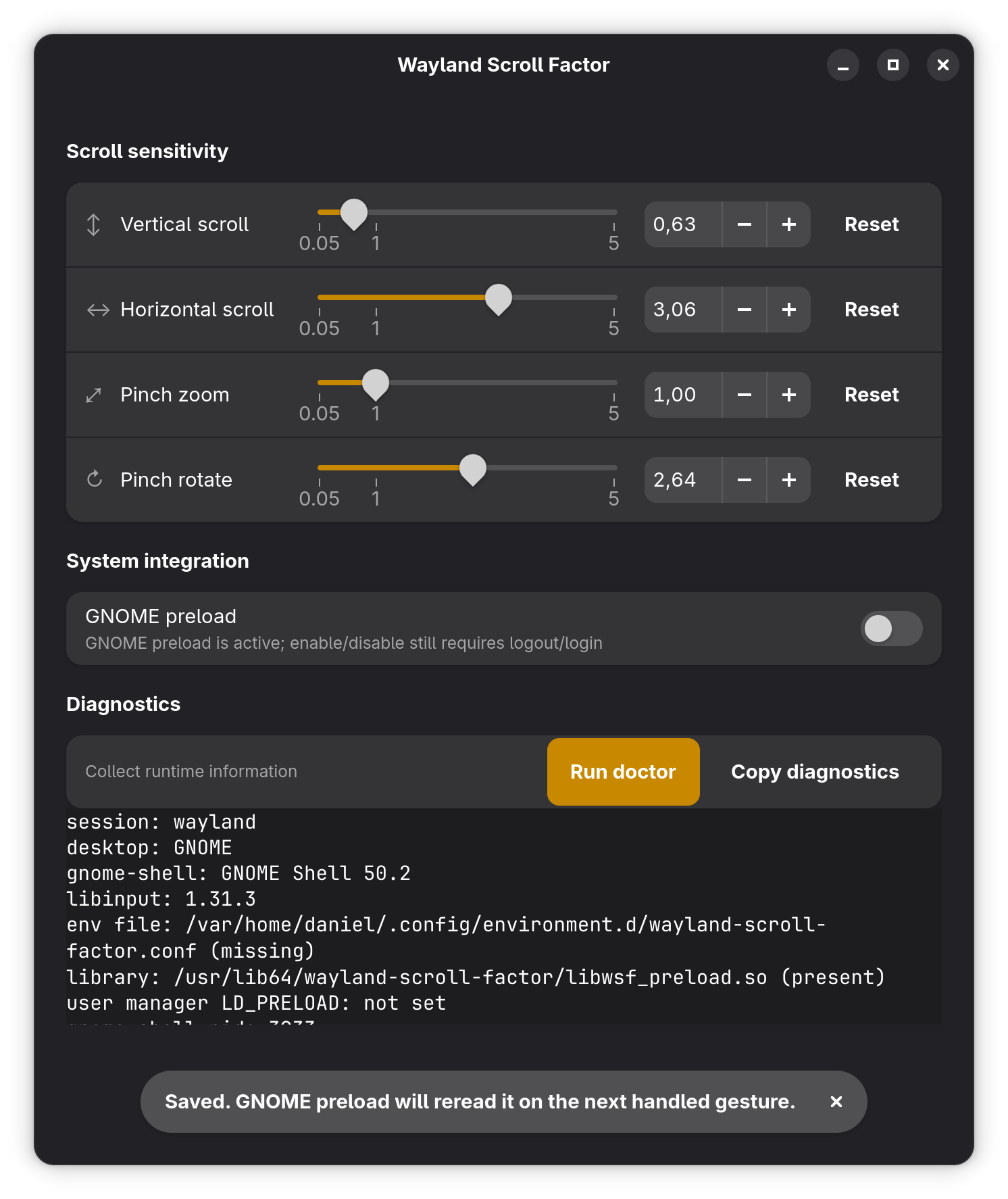
Open Activities and type "scroll". wsf-gui gives you sliders for the scroll and pinch factors with a live test area — adjust, scroll, adjust again. Settings persist across sessions.
Tune it from the terminal
wsf get                            # current factors
wsf set 0.6                        # all factors to 0.6
wsf set --scroll-vertical 0.6      # vertical scroll only
wsf set --scroll-horizontal 0.8    # horizontal scroll only
wsf set --pinch-zoom 0.8           # pinch-to-zoom sensitivity
wsf set 1.0                        # back to stock
The config is a plain INI file at ~/.config/wayland-scroll-factor/config. wsf status shows whether the preload is active; wsf doctor prints a full diagnostic.
Picking a factor
- 1.0 — stock GNOME. Where you start.
- 0.5 – 0.8 — the common fix for "GNOME touchpad scrolling is way too fast".
- Above 1.0 — for touchpads that feel sluggish.
Method: open a long page in Zen and a PDF in Papers, adjust in 0.1 steps until both feel right. Test pinch in Loupe or Maps separately — zoom often wants a different factor than scroll, which is why they're independent.
Opting out
wsf set 1.0 makes it inert — that's enough for almost everyone. To remove the preload from gnome-shell entirely:
ujust wsf-preload off              # disable (takes effect after logout)
ujust wsf-preload on               # re-enable
ujust wsf-preload                  # current state
Scope & troubleshooting
- GNOME Wayland session only — the preload targets gnome-shell; it does nothing in other compositors or sessions.
- Apps with custom scroll handling (some Electron apps, some games) re-interpret deltas their own way — the factor still applies, but the perceived change can differ from native GTK apps.
- Scrolling reverted to stock after an update? Run
margine-validate-margine-system, thenwsf doctor, and file an issue with both outputs.